


Spelling Quiz - Word Trivia
4.810.71K Reviews
App Specs
- Version
- 3.8
- Updated On
- License
- Free
- Downloads
- 10,000,000+
- Developer
- Topy Games
- Categories
- Word
- Platform
- Android
Screenshots
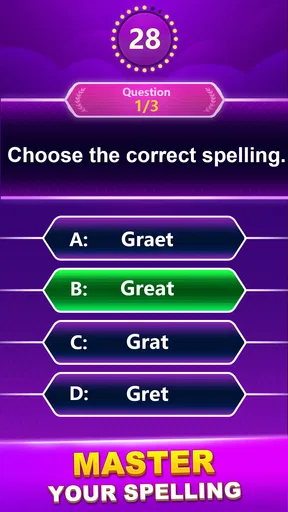
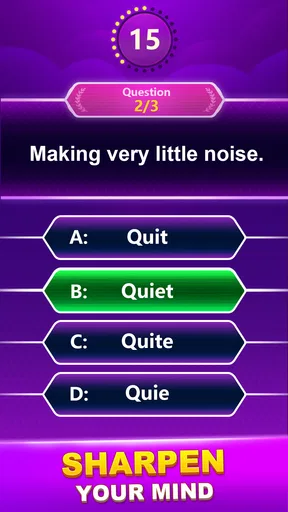
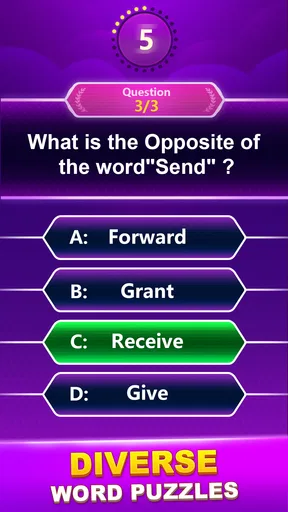
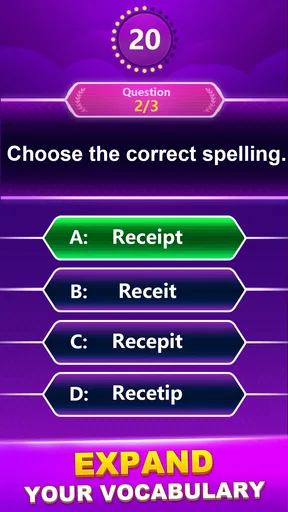



 Analysis by AppCompare
Hey there, word enthusiasts! I just took Spelling Quiz - Word Trivia for a spin, and I've got to say, it's a delightful little gem for anyone who loves playing with words. Whether you're a spelling bee champ or just someone looking to brush up on your vocabulary skills, this app has something to offer. Let's dive into what makes this app tick!
First Impressions
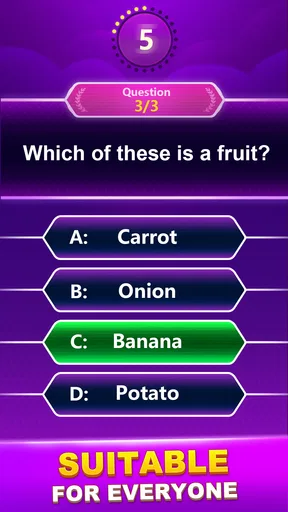
Upon firing up Spelling Quiz - Word Trivia, I was greeted with a clean, intuitive interface that makes it super easy to navigate. The design is sleek, with just the right amount of color to keep things interesting without being overwhelming. The app does a great job of guiding you through its features from the get-go, so you’re not left scratching your head wondering what to do next.
Game Modes Galore
One of the first things you'll notice is the variety of game modes available. There’s the classic spelling quiz where you’re given a word and a few options to choose the correct spelling. If you’re feeling adventurous, you can switch to the time-attack mode to really test your speed and accuracy under pressure. For those looking for a more relaxed experience, the casual mode allows you to take your time and enjoy the process of learning new words.
Challenging Yet Fun
What I love about this app is how it balances challenge with fun. Each level ramps up the difficulty just enough to keep you engaged, but not so much that you feel like giving up. The words are varied, ranging from everyday vocabulary to more exotic terms that even the most seasoned wordsmiths might stumble upon. It’s a great way to learn new words and improve your spelling without it ever feeling like a chore.
Interactive Learning
Another standout feature is the interactive learning component. After completing a quiz, you’re given detailed explanations of the words you struggled with. This not only helps reinforce your learning but also encourages you to understand the nuances of the English language. I found these explanations super helpful, especially for those tricky words that have similar spellings.
Engaging User Experience
The app also throws in some fun visuals and sound effects to keep things lively. The animations are smooth, and the feedback you get after each quiz adds a nice touch. It's like having a little coach in your pocket, cheering you on as you improve your spelling skills.
Community and Challenges
For those who enjoy a bit of competition, Spelling Quiz - Word Trivia offers community challenges where you can pit your skills against other players worldwide. It’s a fantastic feature that not only motivates you to improve but also connects you with fellow word lovers around the globe. Plus, there are leaderboards to climb, so you can see how you stack up against the competition.
Worth Reading Before You Choose

Baby Panda World Brings Quick Play to Modern Phones, but Its Game Library Feels Busy

ESPN’s Live Game View Makes Following Close Games Easier

QuizzLand Review: A Good Fit for Short Trivia Breaks, Not Every Player

Basketball Stars: Multiplayer Is Fast, but Can It Recover When Matches Go Wrong?

WEBTOON Turns Phone Updates Into a Better Reading Routine

Link to Windows Runs on Shared Habits, Not Social Feeds
Offline Play
One of the best aspects is that you can enjoy this app even when you’re offline. Perfect for those long commutes or when you’re stuck in a Wi-Fi dead zone. Just download the content you need, and you’re good to go. It’s a thoughtful touch that ensures you’re never without your spelling fix.
Final Thoughts
All in all, Spelling Quiz - Word Trivia is a fantastic app for anyone looking to have fun while enhancing their vocabulary and spelling skills. Its user-friendly interface, variety of game modes, and interactive learning features make it a must-try for word lovers. Whether you’re a student, a professional, or just someone who enjoys a good word challenge, this app is definitely worth checking out.
So, why not give it a try? You might just find yourself hooked on spelling quizzes like I did!
Pros
- Engaging word puzzles enhance vocabulary.
- Interactive quizzes boost spelling skills.
- User-friendly interface for easy navigation.
- Offline mode available for uninterrupted play.
- Regular updates with new word challenges.
Cons
- Lacks multiplayer or social features.
- In-app ads can be distracting.
- Limited customization options.
- Some levels feel repetitive.
- Requires purchases for premium content.
FAQs for Spelling Quiz - Word Trivia
What is Spelling Quiz - Word Trivia about?
Spelling Quiz - Word Trivia is an engaging educational app designed to enhance your spelling skills through fun and challenging quizzes. It offers various levels of difficulty to cater to users of all ages and proficiency levels, making it a great tool for both learning and entertainment.
Is Spelling Quiz - Word Trivia suitable for all ages?
Yes, Spelling Quiz - Word Trivia is suitable for users of all ages. The app provides different levels of difficulty, allowing both children and adults to improve their spelling skills. Parents can also use it as an educational tool to help their kids learn in a fun way.
Does Spelling Quiz - Word Trivia require an internet connection to play?
Spelling Quiz - Word Trivia can be played offline, making it convenient for use without an internet connection. However, some features, such as leaderboards or updates, may require connectivity. This allows for flexibility in learning and playing anywhere, anytime.
Are there in-app purchases in Spelling Quiz - Word Trivia?
Yes, Spelling Quiz - Word Trivia offers in-app purchases. These can include additional levels, hints, or ad removal options. While the basic version is free, these purchases can enhance the user experience and provide more comprehensive learning opportunities.
How does Spelling Quiz - Word Trivia help improve spelling skills?
Spelling Quiz - Word Trivia improves spelling skills by offering a wide variety of quizzes that challenge users to think critically about word formation. The app’s interactive design helps reinforce learning through repetition and immediate feedback, making it an effective tool for enhancing vocabulary and spelling.


